


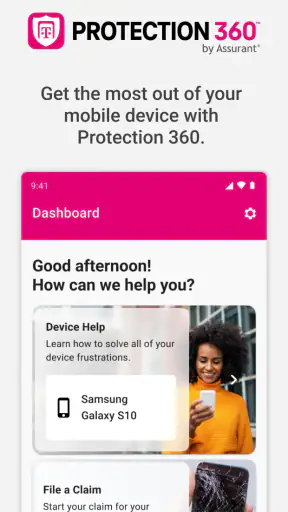
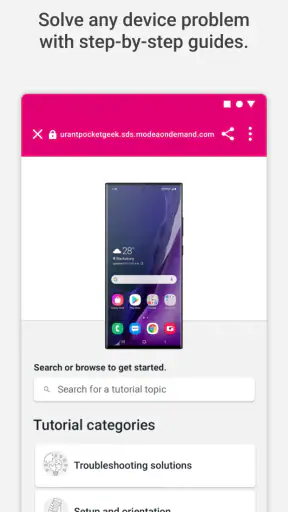
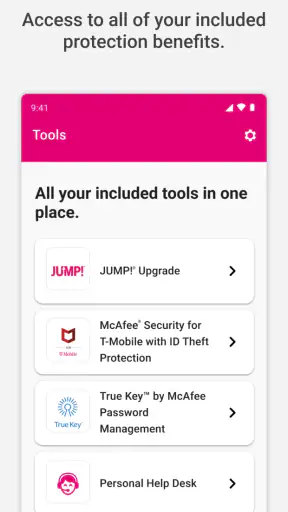
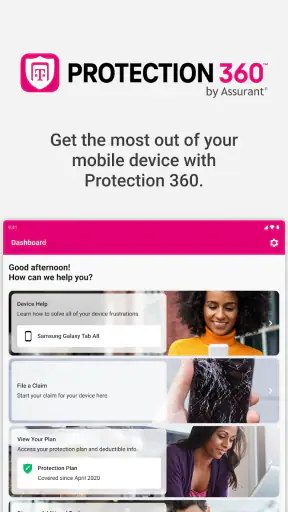
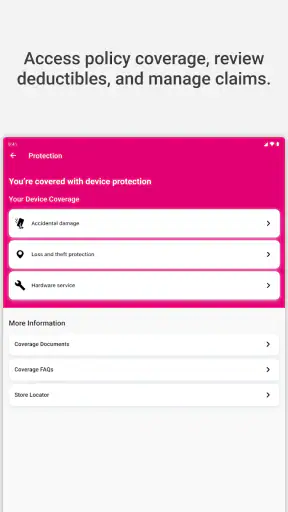
Device problems rarely happen at a convenient time. A phone is misplaced when you are already late, a screen gets damaged during an ordinary commute, or a replacement question appears when you need your device for work. Protection 360® is designed for T-Mobile customers who want one place to access their device protection benefits instead of searching through paperwork, support pages, and account screens. After using it, I found its value less about entertainment and more about reducing the number of steps between a problem and the next useful action.
This is a free Business app from T-Mobile USA, with an Everyone content rating. It has been available since May 4, 2017, and its current version is 3.465.0 for devices running iOS or Android 12 and newer. The app has a 4.4 average from around 31 thousand ratings, with more than one million installs. Those figures suggest that it is not an obscure companion tool, but the real question is whether it makes protection tasks easier than using a browser, calling support, or handling everything through a general T-Mobile account experience.
Turning a stressful device problem into a clearer next step
The recurring problem this utility addresses
Most people do not think about device protection until something goes wrong. At that point, the important details are practical: Is the device covered? What kind of help is available? Where should a claim or service request begin? Which information will be needed? A general carrier app may be excellent for billing, data usage, and plan management, but those areas do not always provide the most direct route when the issue is a damaged, lost, or malfunctioning device.
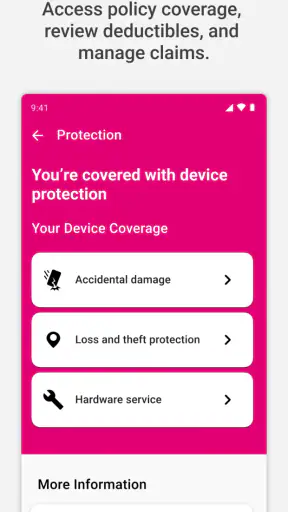
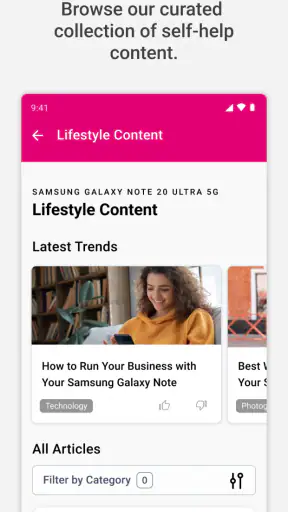
Protection 360® focuses on that narrower moment. Its store summary describes access to device protection benefits, and that focus is useful because it gives the app a clear job. I would not install it expecting a complete replacement for every T-Mobile account function. I would use it as a dedicated doorway for protection-related tasks, especially if I prefer having the relevant options gathered in one place before an emergency occurs.
That distinction matters. A protection app is valuable when it reduces uncertainty, not merely when it displays information. If I am standing outside a repair shop, I do not want to remember which support section contains the right form. If my phone is unavailable, I may be using another device and need a simple path to understand what to do next. The app’s strongest idea is therefore organizational: it keeps protection benefits separate from the much larger collection of carrier services.
What I would do before needing it
The best time to open Protection 360® is while the phone is working normally. I would sign in, look through the available protection area, and become familiar with the wording and navigation. That small preparation step can save more time than downloading the app after a stressful incident. It also gives me a chance to notice whether my current device and account appear correctly before I need help urgently.
I would also keep my T-Mobile account details accessible somewhere safe. The app can organize the protection experience, but it cannot remove the need to identify the account or device involved. A useful habit is to review the app after changing phones, upgrading a line, or making any account change. That is when people are most likely to assume coverage information has transferred automatically without checking the screen that matters.
The initial setup is not something I would describe as exciting, but that is appropriate for this kind of tool. Its purpose is readiness. If the first launch confirms the right account and presents the relevant protection benefits without sending me through unrelated plan menus, it has already done something worthwhile. The setup should be treated like checking where a fire extinguisher is, rather than like configuring an app I will browse every day.
A practical setup routine for families and shared accounts
Protection becomes harder to manage when several devices sit under one household account. Before an incident, I would make a short mental note of which line belongs to which person and check the app after any device swap. This is a non-obvious but important workflow: the fastest claim process is still slowed down if I begin with the wrong line or describe the wrong device.
For a family, I would not assume that every person needs to manage the account independently. Instead, the account holder should understand where the protection benefits are shown and how to identify the affected line. That approach avoids a common mistake in which the person holding the damaged phone is also expected to know the account structure, passwords, and coverage details while under pressure.
I would also use the app as a reference point rather than promising myself I will remember every condition. Protection products can involve eligibility, service steps, and costs that depend on the specific account and situation. The app is useful for directing me toward those details, but I would read the information presented for my device carefully before assuming that a preferred outcome, such as a replacement or repair, is guaranteed.
Everyday situations where the app earns its place
Imagine that I drop my phone while getting off a bus and the display becomes difficult to use. My first instinct might be to search the web, open a general carrier app, or call support. With Protection 360® already installed, I can start with the protection-focused route. That does not make the damage disappear, but it reduces the time spent deciding which channel is relevant.
Another realistic case is a misplaced phone. If I am using a family member’s device or a computer, a dedicated protection app can be more useful than repeatedly searching for broad T-Mobile support pages. I would want to identify the account, locate the affected line, and follow the available instructions in the order shown. The benefit is not that the app magically solves every loss; it is that it gives the problem a recognizable starting point.
A third scenario is a phone that still works but has developed a serious fault. This is where people often delay action because the device is usable enough for the moment. I would open the app, review the protection options, and decide whether continuing to use the phone is sensible. Having that information in a dedicated place makes it easier to act before a minor issue turns into a completely unusable device.
There is also a planning use that many store descriptions do not emphasize. I would check the app before traveling, not because it replaces careful handling, but because knowing where protection information lives can reduce panic if something happens away from home. This is especially helpful for people who do not keep carrier support numbers or policy documents readily available.
Where it removes friction, and where it cannot
The main friction it removes is navigation friction. T-Mobile offers many kinds of account help, and a protection-specific tool can keep me from wandering through billing, plan, or usage sections that have nothing to do with a damaged or missing device. That separation is valuable when attention is limited and the problem feels urgent.
It can also reduce repeated explanations. When the app connects the protection task with the relevant account context, I have a better chance of starting with the correct line and device. That is more efficient than beginning a conversation with general support and discovering later that the request belongs in a different process. I still expect to provide information and follow instructions, but the opening step feels more purposeful.
Another advantage is having a consistent reference point. Browser pages can be difficult to find again, especially when search results lead to general support articles rather than the exact account path. A dedicated app is easier to remember: when the issue is protection, open the protection tool. That simple association is a genuine time saver for occasional users.
However, the app cannot eliminate the underlying complexity of device protection. It cannot change the condition of a phone, remove account requirements, or guarantee that every request will end in the result I prefer. It also does not make a poor network connection, an unavailable device, or forgotten account credentials disappear. I see it as a better front door, not as a substitute for the rules and decisions behind the protection service.
How it compares with the usual alternatives
The most obvious alternative is using a mobile browser. A browser may be enough for someone who rarely needs protection information and does not want another app installed. It can also be more convenient on a borrowed computer when the phone is lost. The trade-off is that browser navigation often begins with a broad search, while Protection 360® is built around the protection task itself.
A general T-Mobile account app may be the better choice for people who want one place for billing, plan management, usage, and device protection. If I already spend most of my time there, installing a separate utility may feel unnecessary. Protection 360® makes more sense when the protection workflow is the priority or when I want a dedicated app that is easier to associate with incidents and claims.
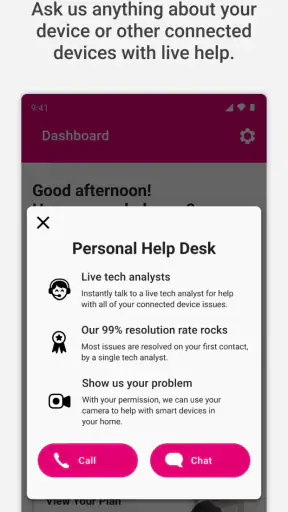
Calling support remains useful when the situation is complicated, the device cannot be used, or the instructions require clarification. A phone conversation can be better than self-service when several lines are involved or when the account history is unusual. The dedicated app is preferable for the first look and for straightforward next steps, while human support has the advantage when I need interpretation rather than navigation.
A physical store can be the right option when I need in-person guidance or have a problem that cannot be handled comfortably on a screen. The downside is the time and travel involved. I would use Protection 360® first to understand the protection route, then choose a store or support channel if the situation calls for it. That sequence prevents an unnecessary trip based on guesswork.
Small habits that make the experience more reliable
My first tip is to open the app after every major device change. Do not wait for a cracked screen to discover that the app is showing an old phone or an unexpected line. A quick review while everything is calm is one of the most useful ways to avoid confusion later.
My second tip is to distinguish between a protection question and a technical support question. If I need help understanding a setting, a general device-support route may be more appropriate. If the issue concerns the protection benefits attached to the device, Protection 360® is the more logical starting point. Choosing the right category early saves time and avoids repeating the same story in different places.
My third tip is to capture important information before handing over a device, when the device still works and the situation allows it. The app can help me begin the protection process, but it is not a backup service and should not be treated as one. I would protect personal data separately, record anything needed for access, and then use the app to handle the protection-related steps.
A fourth useful habit is resisting the urge to interpret a benefit headline too broadly. I would read the details attached to my account and situation rather than assuming that every incident follows the same path. This is where a little patience pays off: five minutes spent understanding the displayed instructions can prevent an incorrect request or an avoidable support conversation.
Who should use it, and who may prefer something else
I think Protection 360® is a strong fit for T-Mobile customers who already have device protection and want a direct way to reach those benefits. It is particularly practical for people who travel, manage several devices, or dislike searching through general account menus. Parents and account holders may also appreciate having a protection-focused tool when another family member reports a lost or damaged phone.
It is less compelling for someone who does not use T-Mobile device protection, rarely manages device issues, or prefers to keep every account task inside one broader carrier app. In those cases, the extra installation may not provide enough daily value. I would also hesitate to rely on it as my only option if I frequently manage accounts from a desktop or need detailed human assistance for unusual situations.
Compatibility matters too. The current release requires iOS or Android 12 and newer, so anyone using an older operating system should check their device before planning around the app. That requirement is easy to overlook because protection problems are often urgent. I would confirm compatibility in advance, not after a phone has already become difficult to use.
My final view after weighing convenience against limitations
Protection 360® succeeds because it addresses a specific recurring problem: finding the right device-protection path when time and patience are limited. I like that its purpose is narrower than a full carrier account tool. The focused design makes sense for occasional but important tasks, and the free price removes a practical barrier to keeping it available before an incident occurs.
My reservation is that a dedicated doorway is not the same as a complete solution. I still need the correct account access, I still have to follow the applicable process, and complicated cases may be better handled through support or in person. Users who expect the app to replace every T-Mobile service channel may find it less comprehensive than they hoped.
For me, the deciding factor is preparation. If I were a T-Mobile customer with device protection, I would install Protection 360®, sign in while my phone was healthy, verify the relevant line, and learn where the benefit information appears. That small investment could save meaningful time during a stressful moment. It is not an app I would open for entertainment or daily browsing, but as a focused device protection app, it earns its place when the alternative is searching blindly for help.


